Duo Mobile
-
4.3
-
Developer
Duo Security, Inc.
-
Category
Business
-
Version
4.41.0
-
Android OS
6
-
Downloads
880M
-
Content rating
3
Pro
👍 Duo Mobile provides strong two-factor authentication with encrypted push approvals and time-based one‑time passcodes generated offline. The app supports biometric protection (Face ID/Touch ID) and lets users approve or deny login attempts in real time, significantly reducing the risk of account takeover and credential misuse.
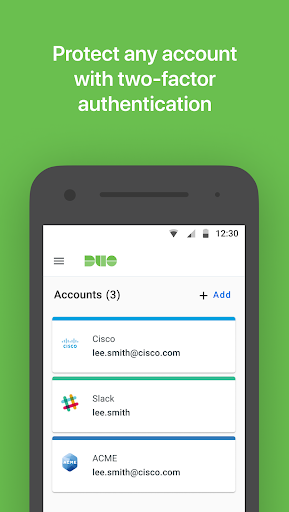
👍 Setup is fast with QR-code enrollment and a clean interface that makes managing multiple accounts easy. One‑tap push notifications cut typing and speed logins, while time-based codes allow access when offline. Available on iOS and Android, it minimizes friction for both consumers and enterprise users.
👍 Duo Mobile integrates with thousands of apps, SSO providers, VPNs and cloud services, enabling centralized policy enforcement and device health checks. Its management features let IT enforce multifactor rules and remotely manage access, making it a trusted choice for organizations seeking scalable, auditable secure access.
Con
👎 If your phone is lost or replaced, recovering Duo Mobile–protected accounts can be time-consuming. Many services require re-enrollment or assistance from an organization’s IT administrator, potentially resulting in temporary lockouts. Lack of a streamlined, self-service recovery path can create significant friction for both personal and enterprise users.
👎 Duo Mobile doesn’t offer seamless cross-device syncing for all accounts, so transferring credentials to a new phone often needs manual reconfiguration or QR-code re-enrollment. Compared with some authenticators that support cloud backups and multi-device access, this limitation can make migration slower and more error-prone for users with many accounts.
👎 The app relies heavily on push notifications, which can be unreliable in poor network conditions or blocked by battery-saving settings; when pushes fail, fallback options can be cumbersome. Additionally, Duo’s enterprise-focused design and frequent authentication prompts may feel intrusive or confusing for casual users who prefer simpler, consumer-oriented authenticators.
Screenshots