Microsoft Teams
-
4.9
-
Developer
Microsoft Corporation
-
Category
Business
-
Version
1416/1.0.0.2025193702
-
Android OS
Varies with device
-
Downloads
410M
-
Content rating
0
Pro
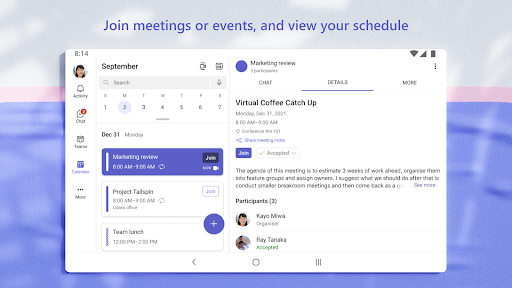
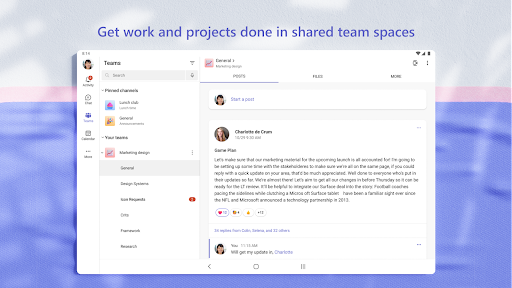
👍 Microsoft Teams centralizes real-time communication and collaboration—persistent chat, threaded channels, voice and HD video meetings, and screen sharing—so teams stay aligned and make decisions faster. Built-in presence indicators and searchable conversations reduce email overload, improving productivity and response times across remote, hybrid, and in-office teams.
👍 Deep integration with Microsoft 365 and popular third-party apps makes Teams a hub for work: access SharePoint files, OneDrive storage, Outlook calendars, and Planner tasks without switching windows. Customizable tabs, connectors, and bots streamline workflows and automate routine tasks, increasing efficiency and reducing app fatigue.
👍 Enterprise-grade security and compliance controls protect conversations and data in Microsoft Teams. Administrators can enforce multi-factor authentication, data loss prevention, retention policies, and eDiscovery while benefiting from Microsoft’s global compliance certifications. Scalable management and reporting tools make Teams suitable for organizations of every size, from startups to multinational enterprises.
Con
👎 Microsoft Teams can be resource-intensive, consuming significant CPU, memory, and battery on desktops and laptops. Users report slow startup times, lag during calls, and background processes that degrade system performance—especially on older devices. This can disrupt productivity and force organizations to upgrade hardware or rely on the lighter web client.
👎 Teams’ interface and feature set can feel cluttered and unintuitive, with channels, chats, meetings, and apps scattered across menus. New users face a steep learning curve and admins juggle inconsistent settings across desktop, web, and mobile. Overwhelming notifications and hidden controls make managing conversations and permissions frustrating.
👎 File management and search in Microsoft Teams can be confusing, since files live in SharePoint/OneDrive with varied permissions and folder structures. Search results are sometimes unreliable, making it hard to find past messages or documents. Third‑party integrations also vary in quality, complicating cross-platform workflows for remote teams.
Screenshots