Google Drive
-
4.5
-
Developer
Google LLC
-
Category
Productivity
-
Version
2.25.450.0.all.alldpi
-
Android OS
4.4
-
Downloads
810M
-
Content rating
3
Pro
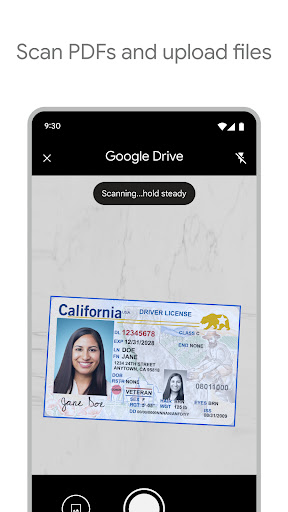
👍 Google Drive provides seamless cloud storage and cross-device access, automatically syncing files from desktop and mobile so you can reach documents anywhere. It includes 15 GB of free storage per Google account, offline access options, selective sync, and fast upload/download speeds—ideal for reliable backup and on-the-go productivity.
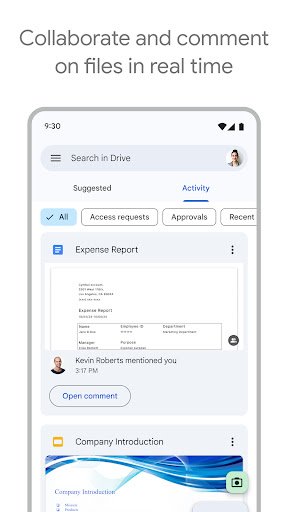
👍 Google Drive supports real-time collaboration with integrated Docs, Sheets, and Slides, enabling multiple users to edit simultaneously, leave comments, and suggest changes. Granular sharing controls and link permissions make teamwork secure and efficient, while activity history and versioning simplify tracking edits and restoring earlier document versions.
👍 Deep integration with Google Workspace and popular third-party apps streamlines workflows—calendar events, email attachments, and third-party backups connect directly. Google Drive also offers robust security: encryption in transit and at rest, two-factor authentication (2FA), administrative controls for organizations, and file recovery options, protecting data for individuals and enterprises alike.
Con
👎 Google Drive’s sharing and permission settings can be confusing, increasing the risk of accidental exposure. Link-sharing defaults and multiple permission levels make it easy to grant broader access than intended. For organizations, managing external collaborators and removing inherited permissions is cumbersome, which can lead to inadvertent data leaks or compliance problems.
👎 Storage limits are a frequent pain point: the shared 15 GB free tier fills quickly across Drive, Gmail, and Photos. Upgrading to more space can be costly for individuals or teams, and Google’s plan structure and billing can be confusing. For heavy media users or businesses, Drive’s cost-to-storage ratio may feel restrictive.
👎 Syncing and offline use can be unreliable: large file uploads may stall or slow, and sync conflicts sometimes create duplicate or out-of-date versions. Offline editing is limited for non-Google file types, requiring local apps and re-syncs. These issues impede productivity when connectivity is poor or teams collaborate on large, frequently changing files.
Screenshots