Android Auto
-
4.3
-
Developer
Google LLC
-
Category
Auto & Vehicles
-
Version
9.9.632624-release
-
Android OS
Varies with device
-
Downloads
780M
-
Content rating
0
Pro
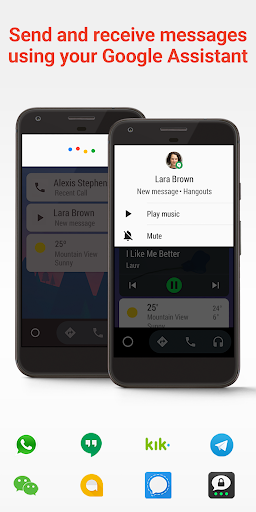
👍 Android Auto improves driving safety by enabling hands-free control through Google Assistant. Drivers can make calls, send and receive messages, set reminders, and control navigation using voice commands, keeping eyes on the road. The simplified interface and audible prompts reduce distractions and support more focused, compliant driving.
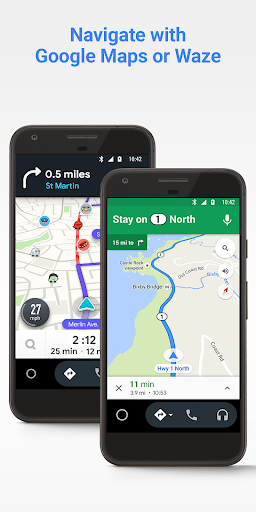
👍 Android Auto offers seamless smartphone integration for navigation and real-time traffic updates. Compatible with Google Maps and Waze, it delivers turn-by-turn directions, lane guidance, and ETA adjustments. Automatic route rerouting and POI search keep trips efficient, while easy setup and phone mirroring ensure consistent performance across Android devices and car models.
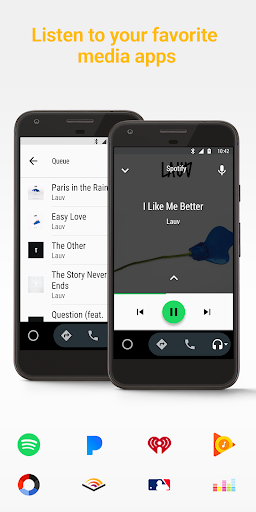
👍 Rich media and app support make Android Auto ideal for entertainment and productivity on the road. The simplified touchscreen layout, large icons, and physical-control compatibility let drivers access music, podcasts, and audiobooks without distractions. Third-party app integration, regular updates, and customization options help personalize the in-car experience for safer, more enjoyable drives.
Con
👎 Android Auto supports a limited set of apps and tightly restricts functionality for safety. Many popular apps, customization options, and advanced multimedia features are blocked or unavailable, forcing users to switch to their phone for tasks. This constrained app ecosystem reduces flexibility and prevents power users from tailoring the experience.
👎 Compatibility and connection problems are common: Android Auto requires a compatible phone, car head unit, and sometimes specific USB or wireless setups. Software updates, driver inconsistencies, and flaky Bluetooth/Wi‑Fi connections can cause frequent disconnects, lag, or loss of features, which undermines reliability during daily driving.
👎 Voice controls and the simplified interface limit functionality: voice recognition errors, inconsistent assistant behavior, and restricted app interactions mean many tasks still need manual phone use. Notification filtering and minimal customization also frustrate users who want more control, making the safety-focused UI feel restrictive and less efficient for complex workflows.
Screenshots