
Skizz
-
4.4
Screenshots



Pro
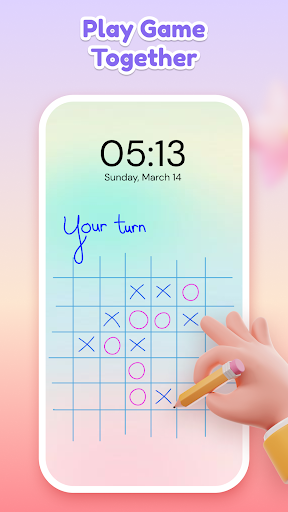
1. Quick Access: Skizz allows users to create drawings or take handwritten notes directly on the lock screen, ensuring important ideas are captured instantly without unlocking the phone, improving productivity and convenience.
2. Personalization: Users can customize their lock screen with unique drawings or notes, adding a personal touch and making their device stand out with creative flair.
3. No Interruptions: By enabling drawing without unlocking the device, Skizz minimizes distractions, allowing users to remain focused on their current task while still being able to quickly jot down thoughts or doodles.
Con
1. Limited Functionality: Skizz - Lockscreen Drawing primarily offers drawing on the lock screen, which might not be enough for users seeking comprehensive artistic features or advanced editing tools found in dedicated drawing apps.
2. Battery Drain: Continual use of any lock screen application, including Skizz, can lead to increased battery consumption as it keeps the screen and app running more frequently.
3. Security Concerns: Having drawings and potentially sensitive information on the lock screen might pose a privacy risk if not adequately managed, as anyone with access to the phone could view this content.
Similar Apps
-
 HyperDroid - PC Launcher4.7
-
 Font Keyboard: Text Fonts+4.2
-
 3D Battery Charging Effect4.2
-
 Battery Charging Animation4.4
-
 Cool Fonts - Keyboard & Themes4.1
-
 Font Keyboard Themes, Emoji4.7
-
 Cute Emoji Battery Widget4.3
-
 Battery Charging Effect Screen4.8
-
 Launcher OS - Themes & Widgets4.3
-
 Emoji Battery & Shimeji Pet4.5
-
 Anime Shimeji Screen Pets4.8
-
 DramaStream Launcher4.5