
USB Screen Share
-
4.9
-
Developer
Battery Stats Saver
-
Category
Personalization
-
Version
1.1.2.1
-
Android OS
Varies with device
-
Downloads
210M
-
Content rating
0
Pro
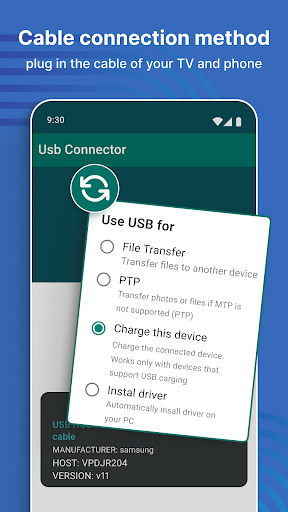
1. Easy Connectivity: USB Screen Share facilitates a straightforward connection process, allowing users to quickly mirror their phone's screen onto their TV with just a USB cable, bypassing the need for internet or Wi-Fi.
2. Real-time Screen Mirroring: Provides seamless, lag-free mirroring of your smartphone display, ensuring that any action taken on your phone is instantly replicated on your TV, perfect for presentations or media playback.
3. No Additional Hardware: The app eliminates the need for extra hardware like casting devices, as it capitalizes on the existing USB port on your TV and smartphone, making it a cost-effective screen-sharing solution.
Con
1. Compatibility Issues: The app may not be compatible with all TV models and smartphone types, leading to connectivity problems or an inability to work with certain devices.
2. Video Quality Limitations: The app might not support high-resolution video streaming, resulting in lower image quality compared to other streaming methods or wired connections.
3. Latency: Users may experience a delay between actions on their phone and the reaction on the TV screen, which can be problematic for real-time activities like gaming or interactive presentations.
Screenshots


Similar Apps
-
 HyperDroid - PC Launcher4.7
-
 Font Keyboard: Text Fonts+4.2
-
 3D Battery Charging Effect4.2
-
 Battery Charging Animation4.4
-
 Cool Fonts - Keyboard & Themes4.1
-
 Font Keyboard Themes, Emoji4.7
-
 Cute Emoji Battery Widget4.3
-
 Battery Charging Effect Screen4.8
-
 Launcher OS - Themes & Widgets4.3
-
 Emoji Battery & Shimeji Pet4.5
-
 Anime Shimeji Screen Pets4.8
-
 DramaStream Launcher4.5