
Screen Mirroring TV & Miracast
-
4.2
-
Developer
TV Cast
-
Category
Tools
-
Version
2.0.15
-
Android OS
Varies with device
-
Downloads
720M
-
Content rating
0
Pro
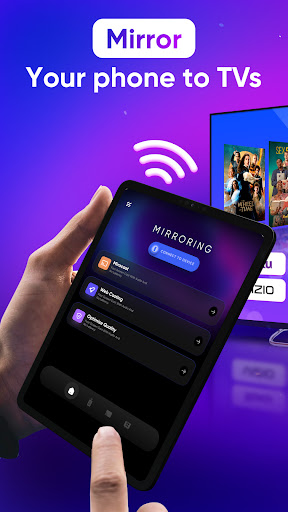
1. Wireless Convenience: Screen Mirroring TV & Miracast enables users to display content from their mobile devices on a larger TV screen wirelessly, eliminating the need for tangled cables and allowing for easy sharing and presentations.
2. Broad Compatibility: The app supports various brands and models of TVs and mobile devices, offering versatility and ensuring users can connect with minimal compatibility issues.
3. Real-time Streaming: The app provides smooth, real-time mirroring of videos, games, and apps, maintaining high-quality output without significant lag, offering an immersive viewing and gaming experience.
Con
1. Limited Compatibility: The app may not support all devices or operating systems, leading to potential connectivity issues or the inability to use the app with certain TVs or smartphones.
2. Potential Lag: Users might experience a delay between actions on their device and the response on the TV screen, affecting the enjoyment of fast-paced content or gaming.
3. Quality Loss: The mirrored content might suffer from reduced resolution or quality, making it less suitable for viewing high-definition videos or images on a larger screen.
Screenshots




Similar Apps
-
 DuckDuckGo Privacy Browser4.6
-
 Robuck App - Get RBX Calc4.5
-
 Verity Mod for Minecraft PE4.5
-
 Kerala Jackpot Results4.5
-
 Kerala Lottery Official4.9
-
 Cleaner & Antivirus & fast VPN4.8
-
 Perfect Compass (with weather)4.9
-
 Myanmar 2D 3D4.6
-
 CardCosmic: Sell Gift Cards4.6
-
 Carding - Sell Gift Cards4.9
-
 Fonts AI Keyboard Trend&Fancy4.2
-
 Kerala Live Results4.6